DevTools IDE
Client
Sector
Role
Zyte
Web Data Extraction
End-to-end product design encompassing research, conceptualization, visualization, and testing
SUMMARY
Using IDEs (Integrated Development Environment) as the primary source of inspiration to create a single product to troubleshoot webpages, I designed a developer user-first application that will solve their pain points when relying on multiple browser tools.

I conducted user research involving the Head of Product Development and Developer to discover, collaborate with, understand their problems, and ideate solutions to improve the developer workflow.
Challenge
As a developer, it can be challenging to troubleshoot and debug web pages to extract public data. To achieve this, many developers rely on libraries such as Puppeteer and Playwright to run headless browsers. However, this process often requires the use of multiple applications and tools across various application windows. To address these pain points, I was assigned to create a user-friendly developer tool UI that consolidates all necessary tools into one application.

User Research
The 5W1H method
Affinity Mapping
Analyzing interview data using thematic analysis helped me identify patterns in users' behaviour, thoughts, and emotions. This clarified assumptions and led to necessary feature identification.
A snippet of the raw interview data.
This simplified flow diagram that resulted from the interview data suggests the users' needs.
Design Solutions
Solution Sketch
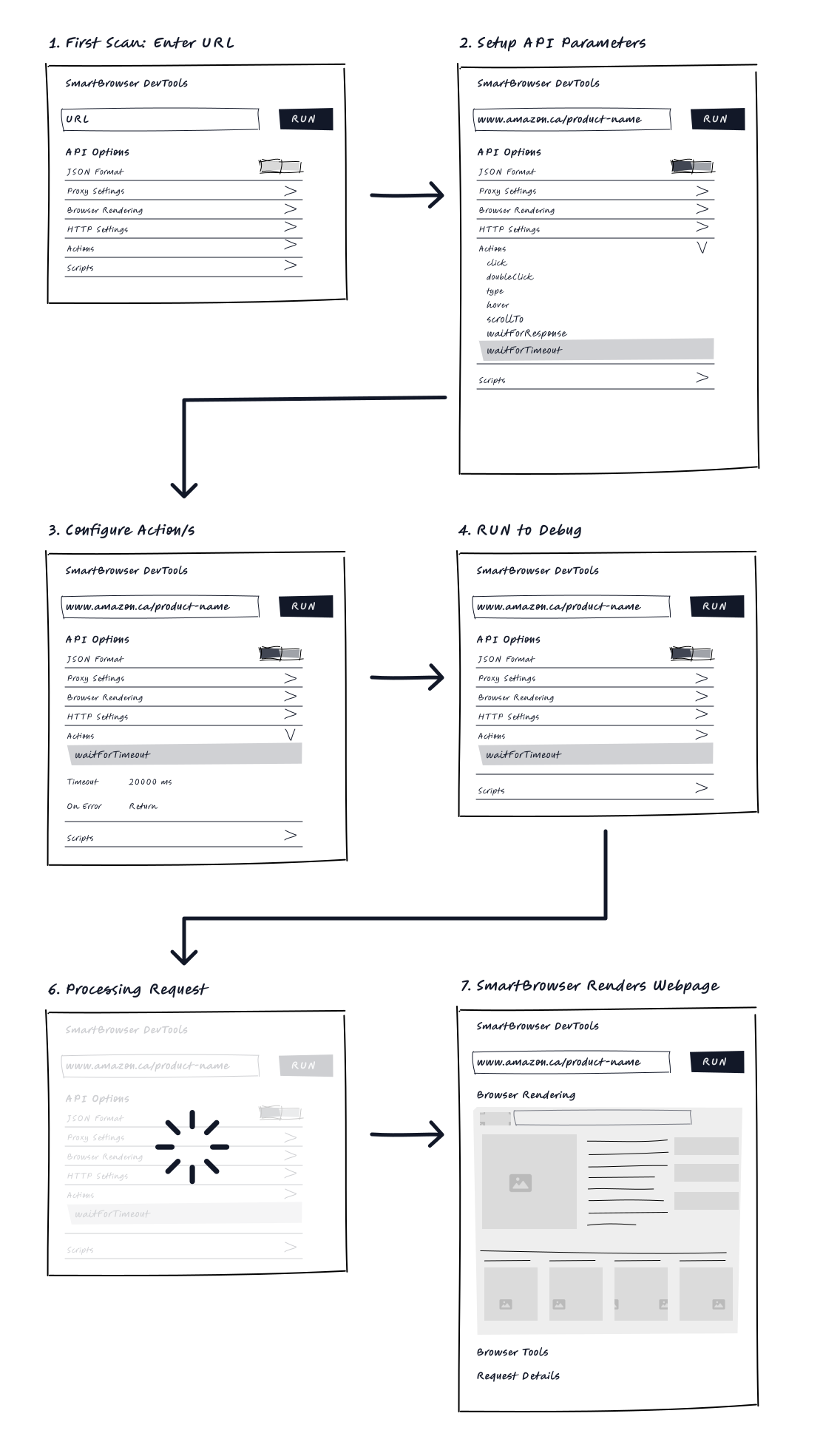
Sketching is crucial to ideation and testing ideas quickly. It helps map out user journeys and determine necessary product features. Even simple sketches can quickly validate and inform UI designs.
I used a storyboarding technique to understand the customer's journey better and identify the necessary interactions for the product.
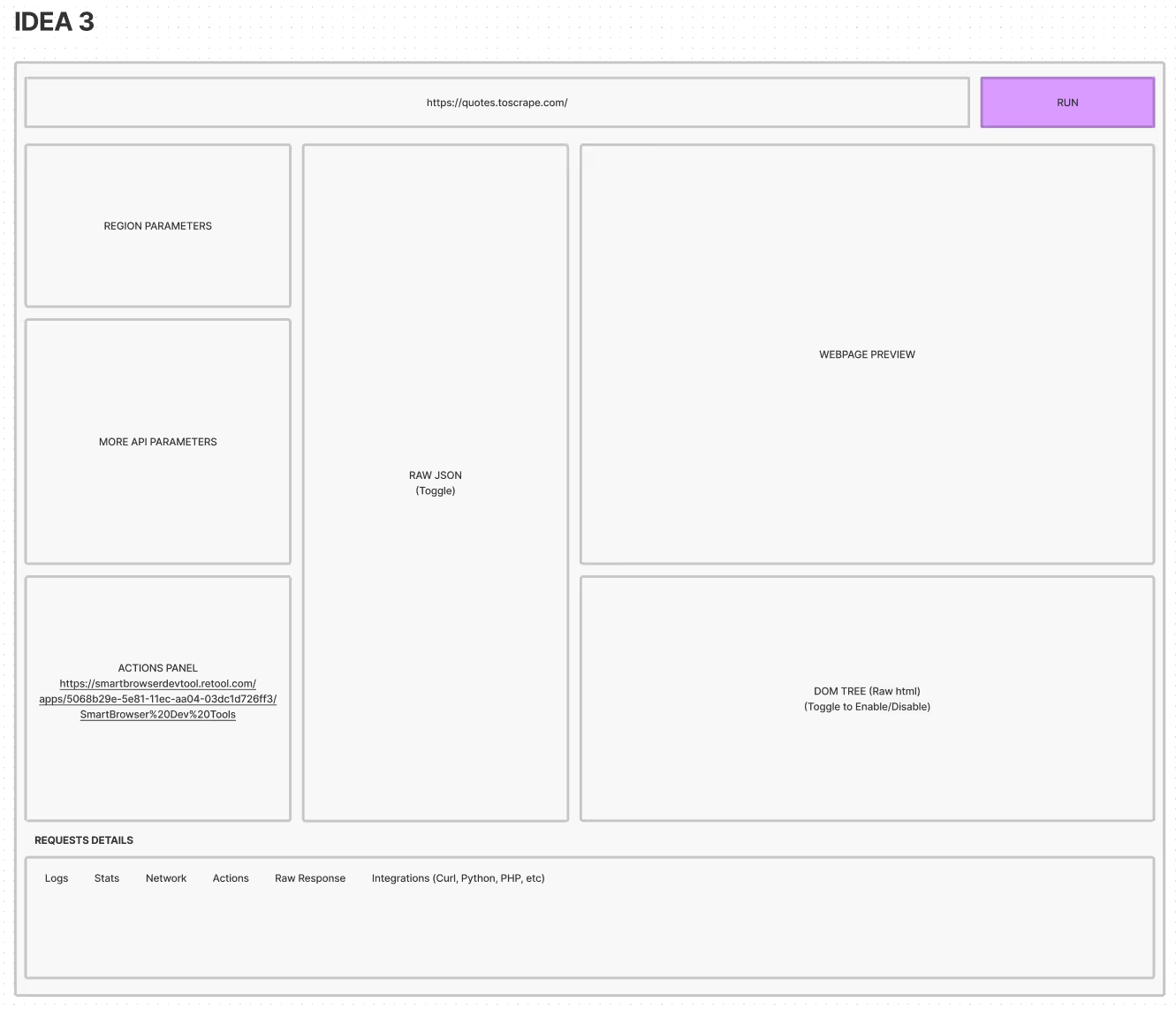
Using the mental model anticipated from IDE users, I laid out the wireframe that would strongly impact their workflow and meet the users' expectations.
Flow-map
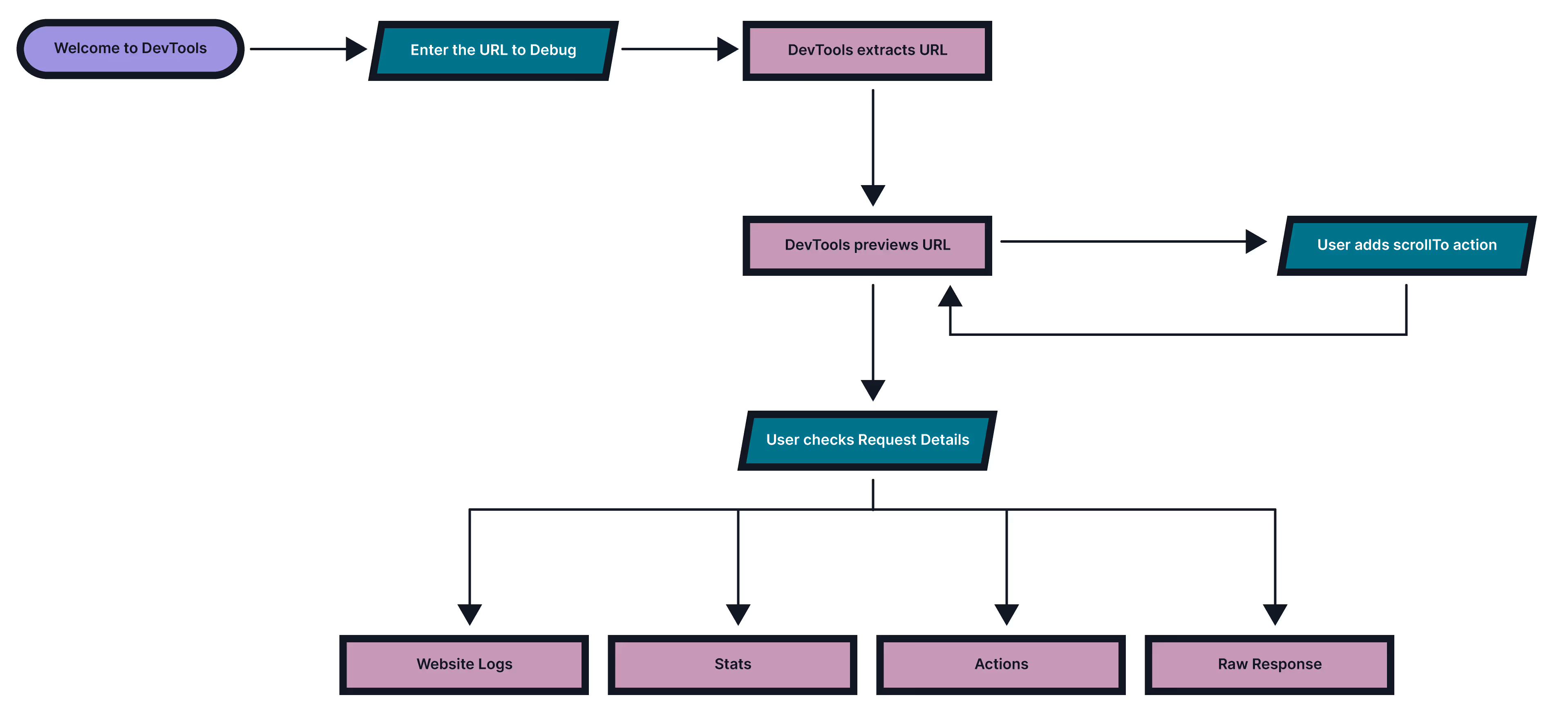
Validating a user task flow using actions when interacting with a webpage to debug.
Visual Design
Visual design is one of my favourite stages in UX Design. Working with the fundamental elements of visual design and arranging them according to design principles, they form the building blocks of design. Learning to achieve consistency in design is crucial in achieving a desirable product.
MVP release of Dev Tools. Features include API parameters to debug and test webpages. Elements return the raw HTML of the webpage, much like Chrome Dev Tools does. The Logs access behind the scenes of the application logs.
The Actions parameter simulates the human to browser behaviour and serves as a debugging tool for common rendering issues by increasing the waitForTimeout property.
The Scripts panel is an advanced developer-centric feature that automates the browser for advanced use cases such as custom scripts and a standard library feature to load pre-built functions.
Run a URL to debug.
Conclusion
After going through rounds of iteration, feedback loop, and usability testing, we further improved the product's user experience and added more features such as Sharing/Collaboration and History.